

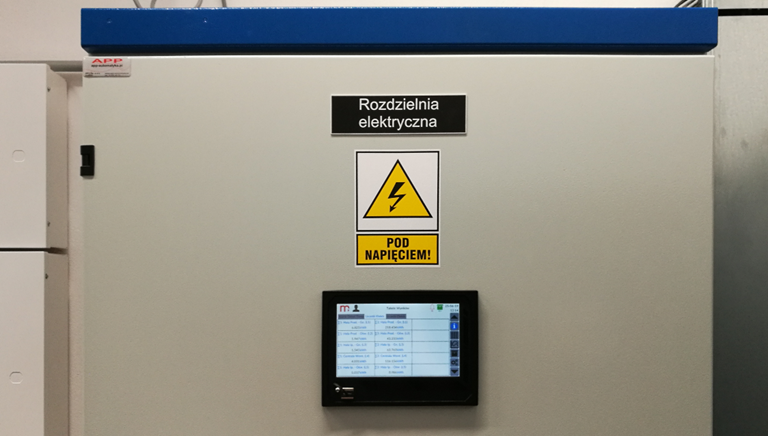
In industrial facilities, optimization of electricity consumption is strongly recommended. By using the DL7/DL7L/DL2 data logger and impulse energy meters it is possible to record data as well as monitor and analyze energy consumption in the building divided into individual areas or rooms. Below there is a description of using the DL7 data logger in monitoring energy consumption system.
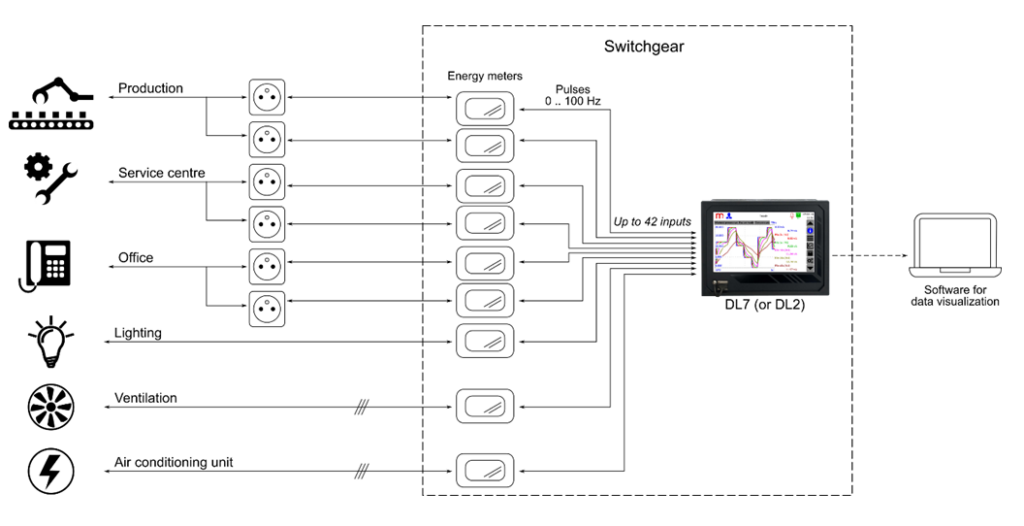
- Description
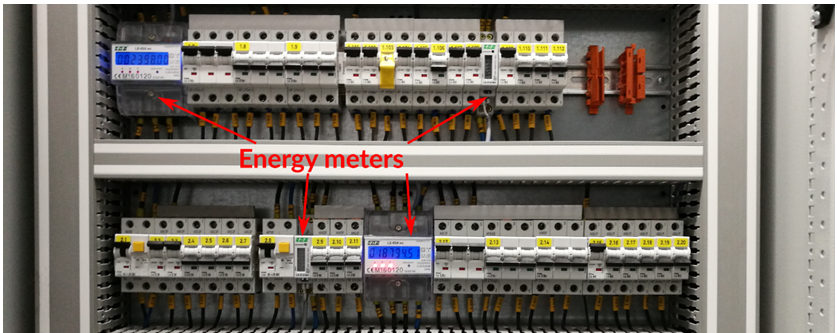
Energy meters generate pulses in proportion to the consumed electricity. The DL7 data logger with installed IN6D module reads pulses generated by meters. Read data are assigned to the measuring channel. Each channel can have two independent totalizers enabled for precise pulse summation. Totalizers can operate in daily, weekly, monthly, resettable or unresettable mode. The measuring input can be assigned to several channels, which enables summation of energy consumption in different modes.
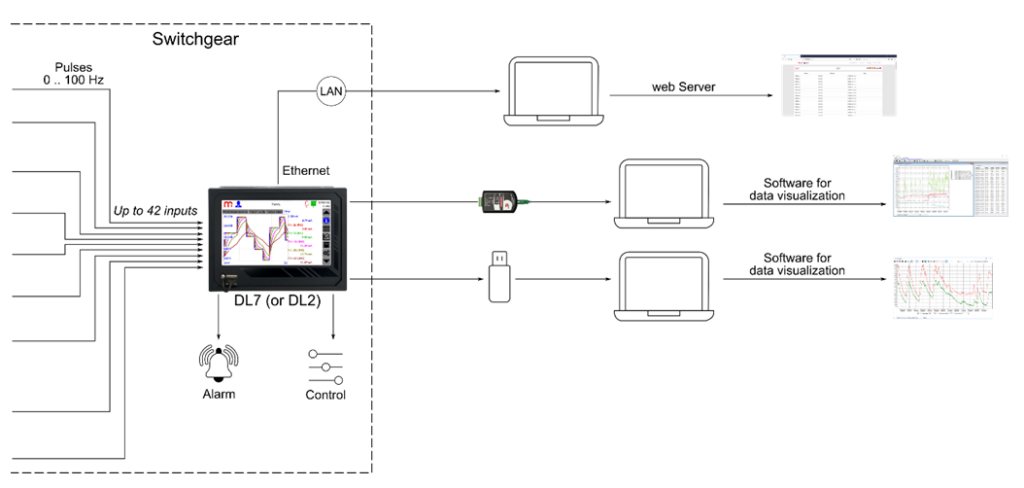
- Reading and recording results
The DL7/DL2 data logger enables the acquisition of data concern in consumed energy in one place. The device archives read and summed values in accordance with the entered settings. Archive files can be downloaded from the data logger using a portable memory (USB key) or using an Ethernet cable and a web server. Additional software on the PC allows visualization of archived data or current values (DL7-RP/DL7-RPplus, DL2-RP/DL2-RPplus, mLog). The DL7/DL2 data logger enables alarms signaling, control and can be connected to the SCADA master system.
- Data visualization
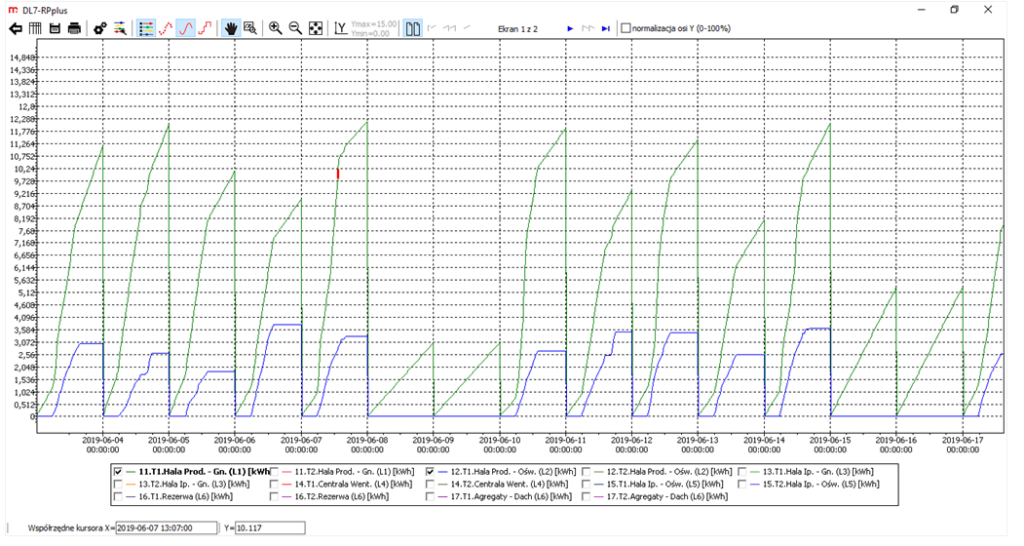
Archive files are saved in CSV format. The software dedicated to the DL7 (DL2) data logger enables data visualization. The software is available in the basic version DL7-RP (DL2-RP) and in the extended version DL7-RPplus (DL2-RPplus). Below there is an example of visualization of archival data on energy consumption in the production hall (DL7-RPplus software). The green trend line represents the energy consumed by devices connected to the sockets, the blue trend line represents the energy consumed to lights the room.
- Example of device configuration
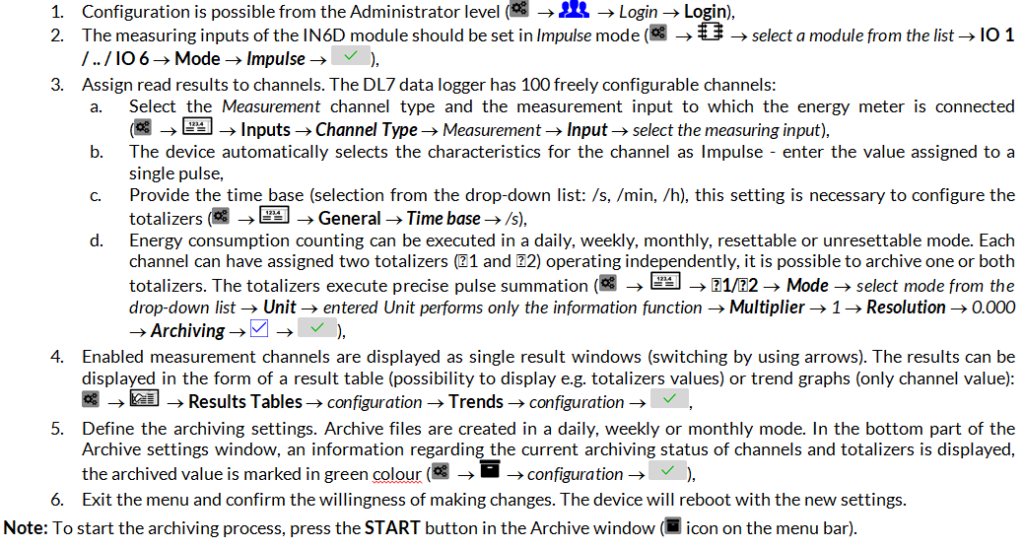
Application of the DL7 (or DL2) data logger with pulse electricity meters requires installation and configuration of the IN6D module/modules. The data logger can be configured on a computer using a dedicated software or from the device level.
Below there is an example configuration of the DL7 data logger for operating with pulse energy meters. Described configuration is performed from the device level.
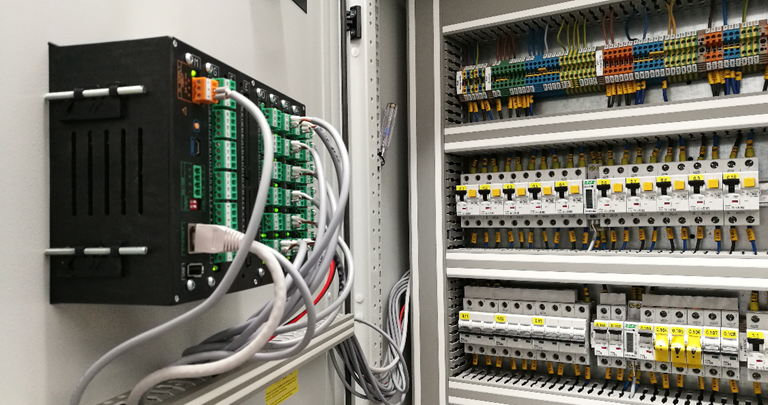
Application example
More information in APPLICATION NOTES